How to Embed Eventbrite Events on Your Shopify Store
Want to showcase your Eventbrite events directly on your Shopify store? Displaying your upcoming events can help boost attendance and keep your customers informed about what’s happening. With EmbedAny, you can embed Eventbrite events anywhere on your store without any technical knowledge.
What You’ll Need
- A Shopify store
- An Eventbrite account with events
- The EmbedAny app installed on your store
Step 1: Install the EmbedAny App
- Visit the EmbedAny app page in the Shopify App Store
- Click “Add app” and follow the installation process
- Complete the setup and activation steps as prompted
Step 2: Find Your Eventbrite Event Link
- Go to your Eventbrite account
- Navigate to the event you want to embed
- Copy the URL from your browser’s address bar (it should look something like
https://www.eventbrite.com/e/event-name-tickets-123456789)
Step 3: Embed Your Eventbrite Event on Shopify
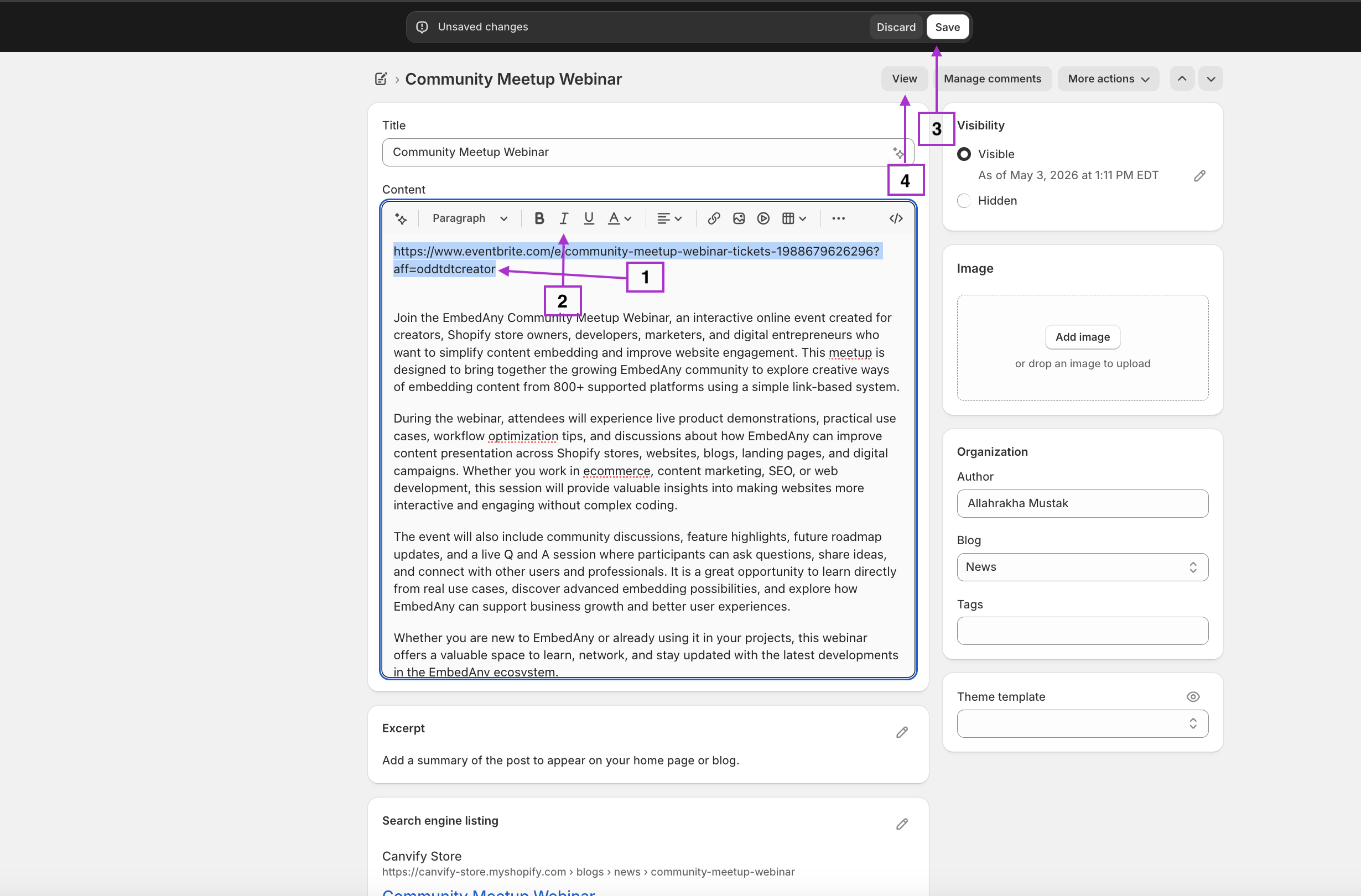
- Go to your Shopify admin panel
- Navigate to the page, product description, or blog post where you want to display the event
- Open the rich text editor
- Paste your Eventbrite event link
- Highlight the link and click the Italic button (or use the keyboard shortcut Ctrl+I / Cmd+I)
- Save your changes
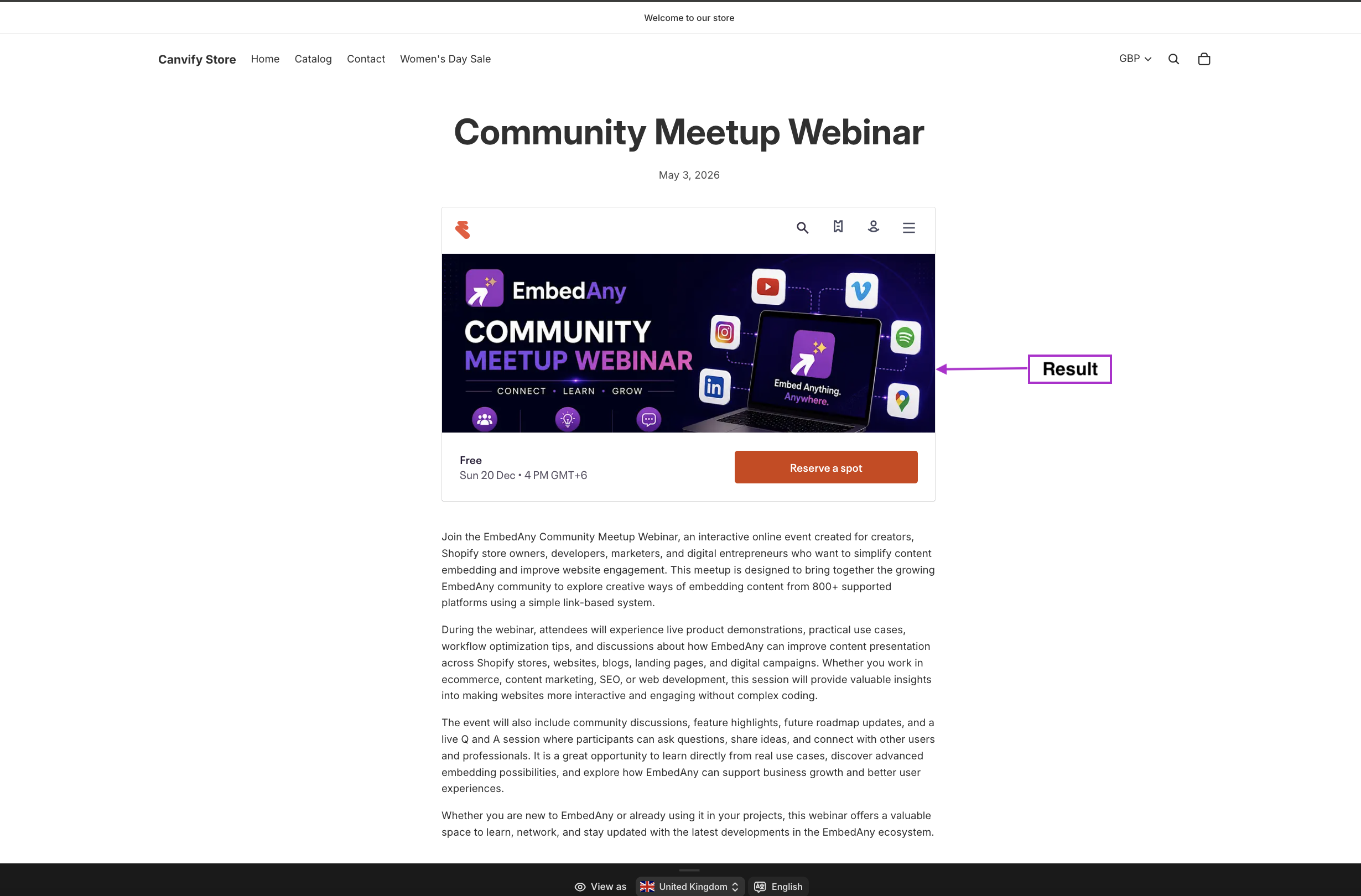
That’s it! The italic link will automatically transform into a fully interactive Eventbrite event display when someone views your page.
Where to Use Eventbrite Embeds on Your Shopify Store
- Homepage: Highlight upcoming events right on your main page
- Dedicated Events Page: Create a specific page for all your events
- Product Pages: Add related events to product descriptions
- Blog Posts: Include relevant events in your content marketing
- About Us Page: Show company events as part of your brand story
Why Embed Eventbrite on Your Shop?
Embedding Eventbrite events directly on your store keeps customers on your website rather than sending them elsewhere. This creates a seamless experience where customers can browse products and sign up for events without leaving your shop.
Your customers can view event details, check ticket availability, and even register—all without opening a new tab. This integration creates a more professional appearance and potentially increases event attendance.
Remember, you can use this same method to embed content from over 800 platforms—from social media to videos and more—anywhere on your Shopify store. Simply paste, italicise, and you’re set!