How to Embed Facebook Posts on Shopify: A Simple Guide Using EmbedAny

Adding Facebook posts to your Shopify store is a great way to showcase social proof, customer testimonials, and promotional content. With EmbedAny, you can embed Facebook posts anywhere on your store without any coding knowledge. Here’s how to do it:
Step 1: Install EmbedAny on Your Shopify Store
Before you can start embedding Facebook posts, you’ll need to install the EmbedAny app:
- Visit the EmbedAny app page on the Shopify App Store
- Click “Add app” to install it to your store
- Follow the on-screen instructions to complete the installation
- Activate the app as prompted
Step 2: Find the Facebook Post You Want to Embed
- Go to Facebook and select the post you want to display on your Shopify store (For image or video, or reel included posts, selecting the photo or video will lead to a new window with an active link)
- Copy the full URL from your browser’s address bar
Please note: Facebook posts with only text/caption and without media, does not work at the moment.
Step 3: Add the Facebook Post to Your Shopify Store
Now that you have the Facebook post link, you can add it to your store:
- Go to your Shopify admin panel
- Navigate to the page or product where you want to display the Facebook post
- Edit the content in the description or text editor
- Paste the Facebook post URL you copied earlier
- Important: Make the link italic by selecting it and clicking the italic button (or using Ctrl+I/Cmd+I)
- Save your changes
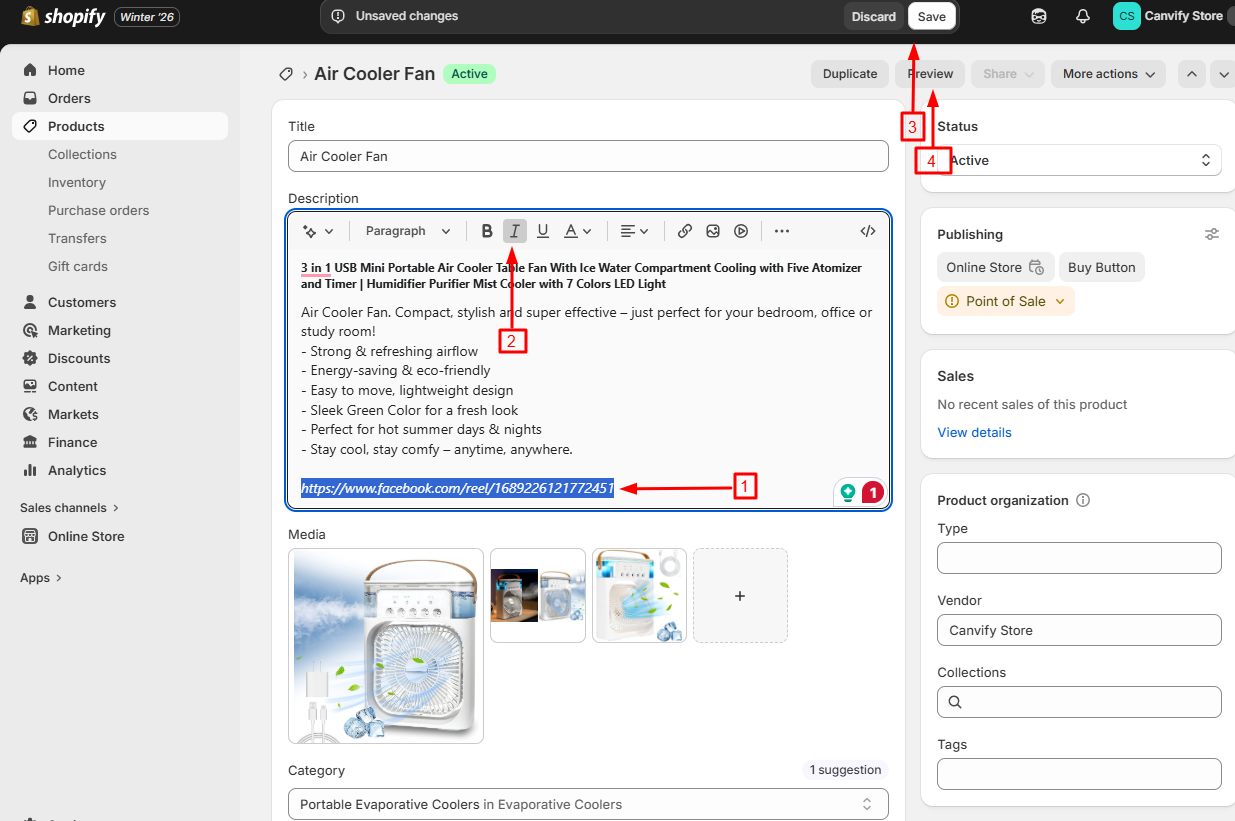
That’s it! EmbedAny will automatically transform the italicised link into a live, interactive Facebook post when someone views your page.
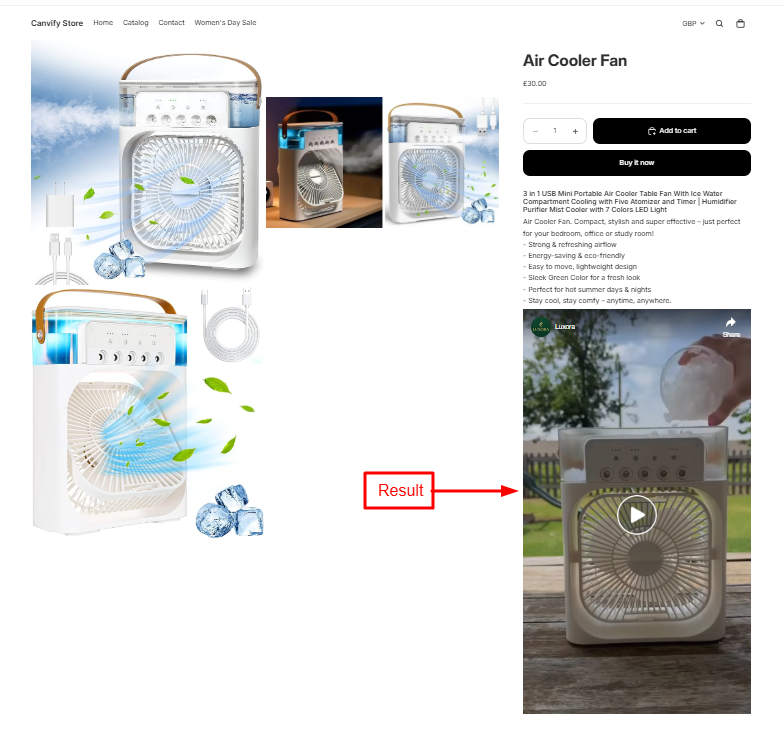
Where to Use Facebook Embeds in Your Shopify Store
Facebook embeds can enhance your store in several places:
- Product descriptions: Show customer reviews or posts featuring your product
- About Us page: Display milestones or community engagement
- Blog posts: Add relevant Facebook discussions or announcements
- Homepage: Showcase your most popular Facebook content
- Testimonial sections: Feature positive customer feedback posted on Facebook
Why Embed Facebook Posts?
Adding Facebook posts to your Shopify store helps:
- Build social proof by showing real customer interactions
- Keep visitors on your site longer instead of sending them to Facebook
- Update content dynamically as your Facebook posts update
- Create a more engaging shopping experience with interactive elements
EmbedAny works with 800+ platforms beyond just Facebook, so you can embed virtually any content type using this same simple process. No coding, no complex configurations—just paste, italicise, and save!