How to Embed Dropbox Files on Your Shopify Store with EmbedAny
Are you looking to display Dropbox files directly on your Shopify store? Whether you want to share product documentation, portfolios, or important files with your customers, embedding Dropbox content can enhance your store’s functionality and user experience.
Why Embed Dropbox Files on Your Shopify Store?
Embedding Dropbox files on your Shopify store offers several advantages:
- Share important documents without requiring downloads
- Display portfolios, catalogues, or technical specifications
- Keep your content updated in real-time (when you update the Dropbox file, it updates on your site)
- Maintain a professional look while sharing files
How to Embed Dropbox on Shopify Using EmbedAny
Step 1: Install EmbedAny on Your Store
- Visit the EmbedAny app page in the Shopify App Store
- Click “Add app” and follow the installation instructions
- Complete the activation process when prompted
Step 2: Get Your Dropbox Link
- Go to your Dropbox account
- Find the file or folder you want to embed
- Hovering/tapping over it, will display the link icon; click on it to copy
- Copy the Dropbox link to your clipboard
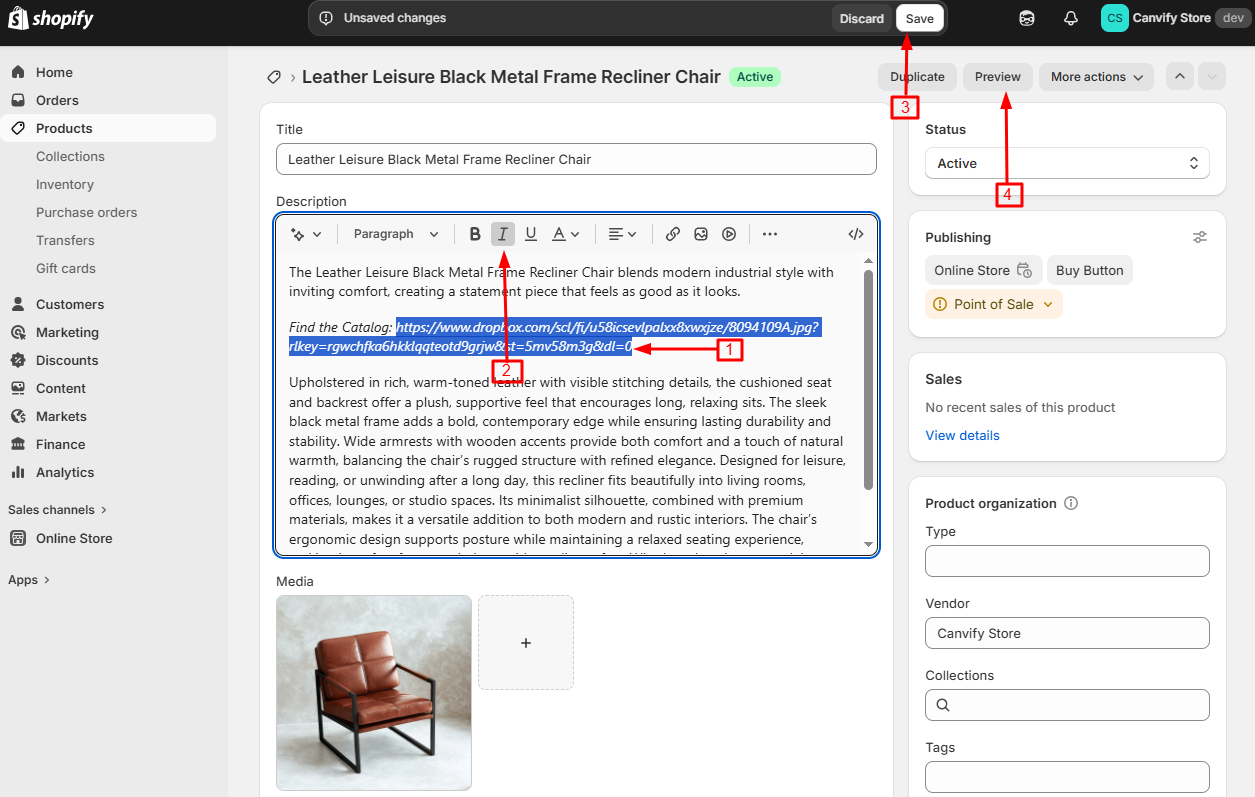
Step 3: Add the Link to Your Shopify Store
- Navigate to the page or product where you want to embed the Dropbox content
- In the rich text editor, paste your Dropbox link
- Select the link text and click the italic button (or use the keyboard shortcut Ctrl+I / Cmd+I)
- Save your changes
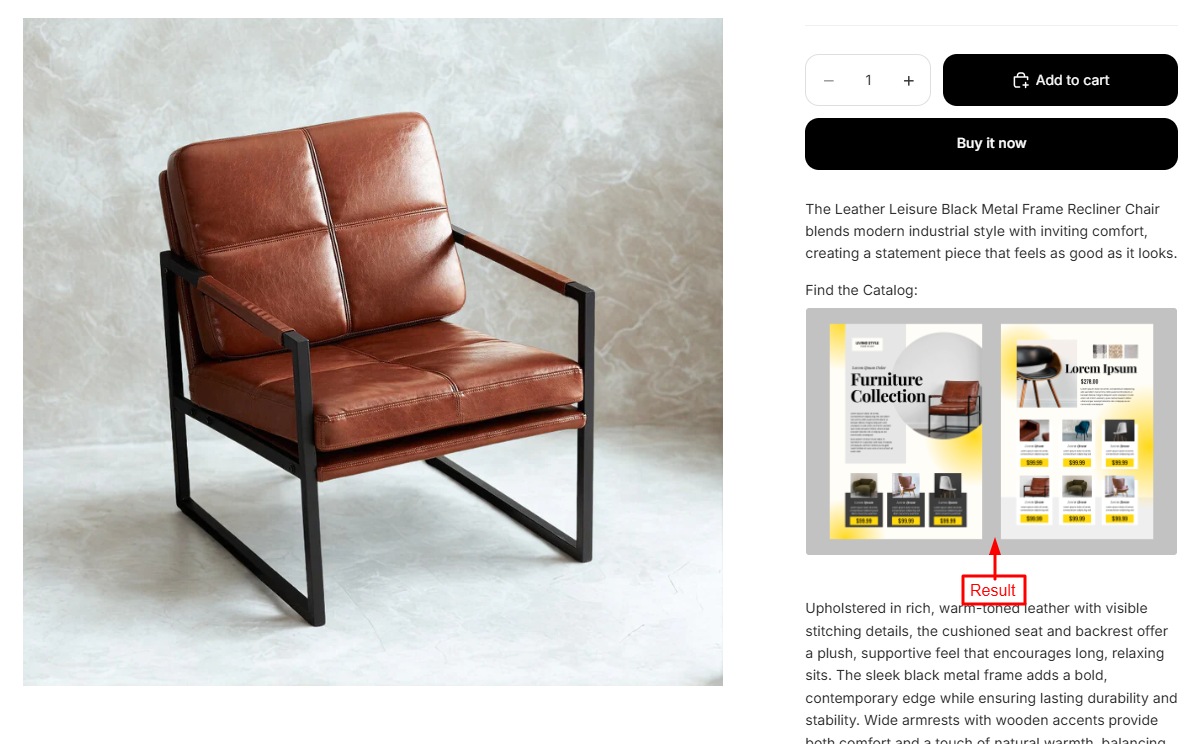
That’s it! Your Dropbox content will now appear as an interactive element on your page. Customers can view documents, browse folders, or access your files without leaving your store.
Tips for Embedding Dropbox Content
- For best results, ensure your Dropbox link is public and has proper sharing permissions
- Use Dropbox embeds for product manuals, size guides, or supplementary information
- Consider embedding Dropbox Paper documents for rich, formatted content
- Test your embeds on both desktop and mobile to ensure they display correctly
Common Questions About Embedding Dropbox
Can I embed any type of Dropbox file? Yes, you can embed PDF documents, slides, images, videos and Dropbox Paper documents using EmbedAny.
Will my customers need a Dropbox account? No, viewers don’t need a Dropbox account to view your embedded content.
Does the embed update if I change the Dropbox file? Yes, any changes you make to the Dropbox file will automatically appear in the embedded version on your store.
By embedding Dropbox files directly on your Shopify store, you provide valuable resources to your customers without disrupting their shopping experience. Try EmbedAny today to start incorporating Dropbox content into your store pages!