How to Embed Airtable on Your Shopify Store: A Simple Guide

Adding Airtable content to your Shopify store can transform how you display information to your customers. Whether you want to showcase inventory databases, collect information through forms, or display organised data, embedding Airtable can enhance your store’s functionality.
What You’ll Need
- A Shopify store
- The EmbedAny app installed on your store
- An Airtable base, form or view you want to embed
- A shareable link to your Airtable content
Step 1: Install EmbedAny on Your Shopify Store
- Visit the EmbedAny app page in the Shopify App Store
- Click “Add app” to install it on your store
- Follow the on-screen instructions to complete installation
- Activate the app according to the setup wizard
Step 2: Get Your Airtable Share Link
- Go to your Airtable workspace
- Open the base, table, form or view you want to embed
- Click the “Share” button (usually in the top right)
- Choose “Create a shared link” option
- Copy the share link provided by Airtable
Step 3: Embed Your Airtable Content
- Go to the page where you want to embed your Airtable content (product description, page, blog post, etc.)
- In the text editor, paste your Airtable share link
- Highlight the pasted link
- Click the italic button (or use keyboard shortcut Ctrl+I / Cmd+I)
- Save your changes
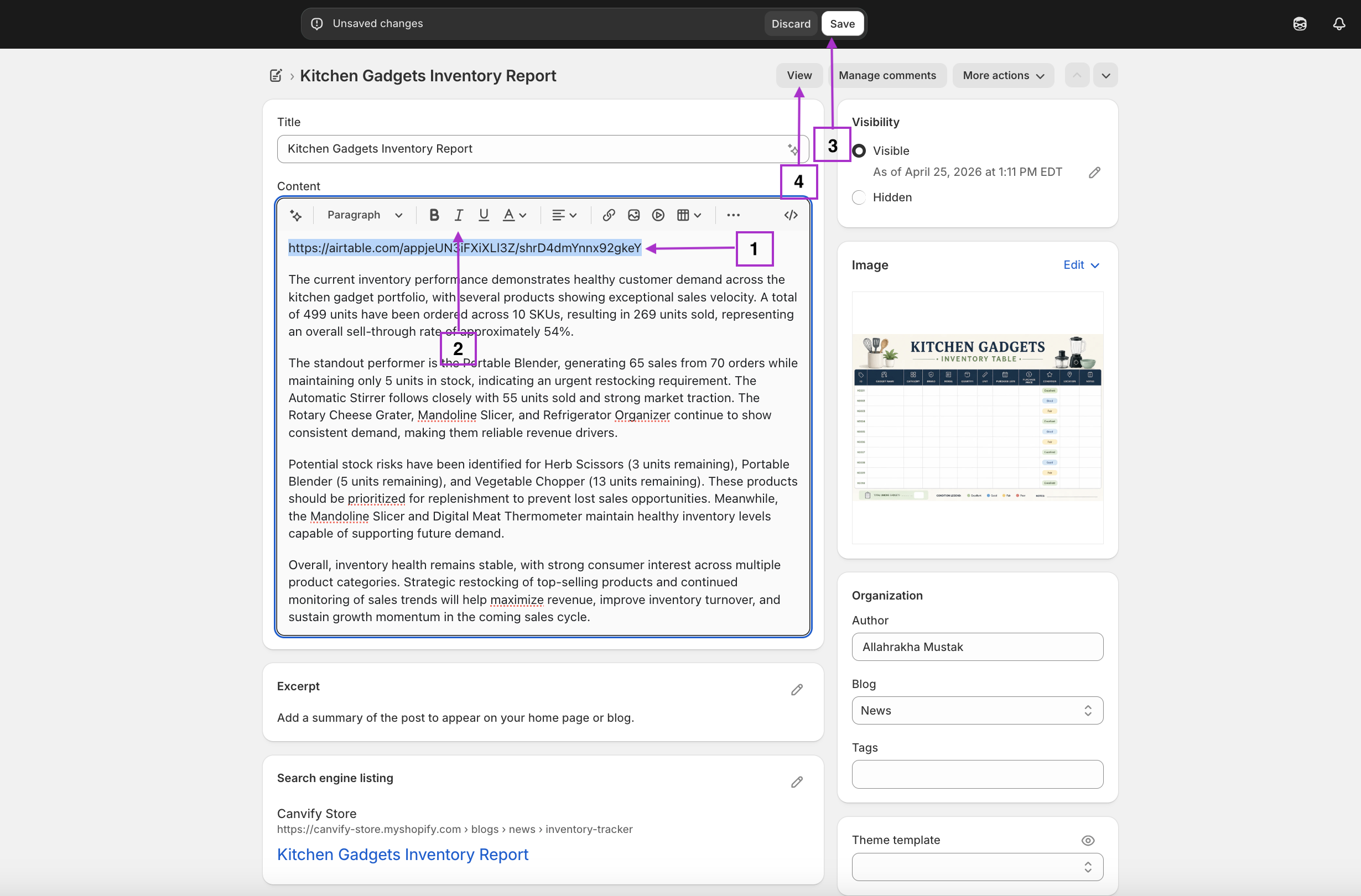
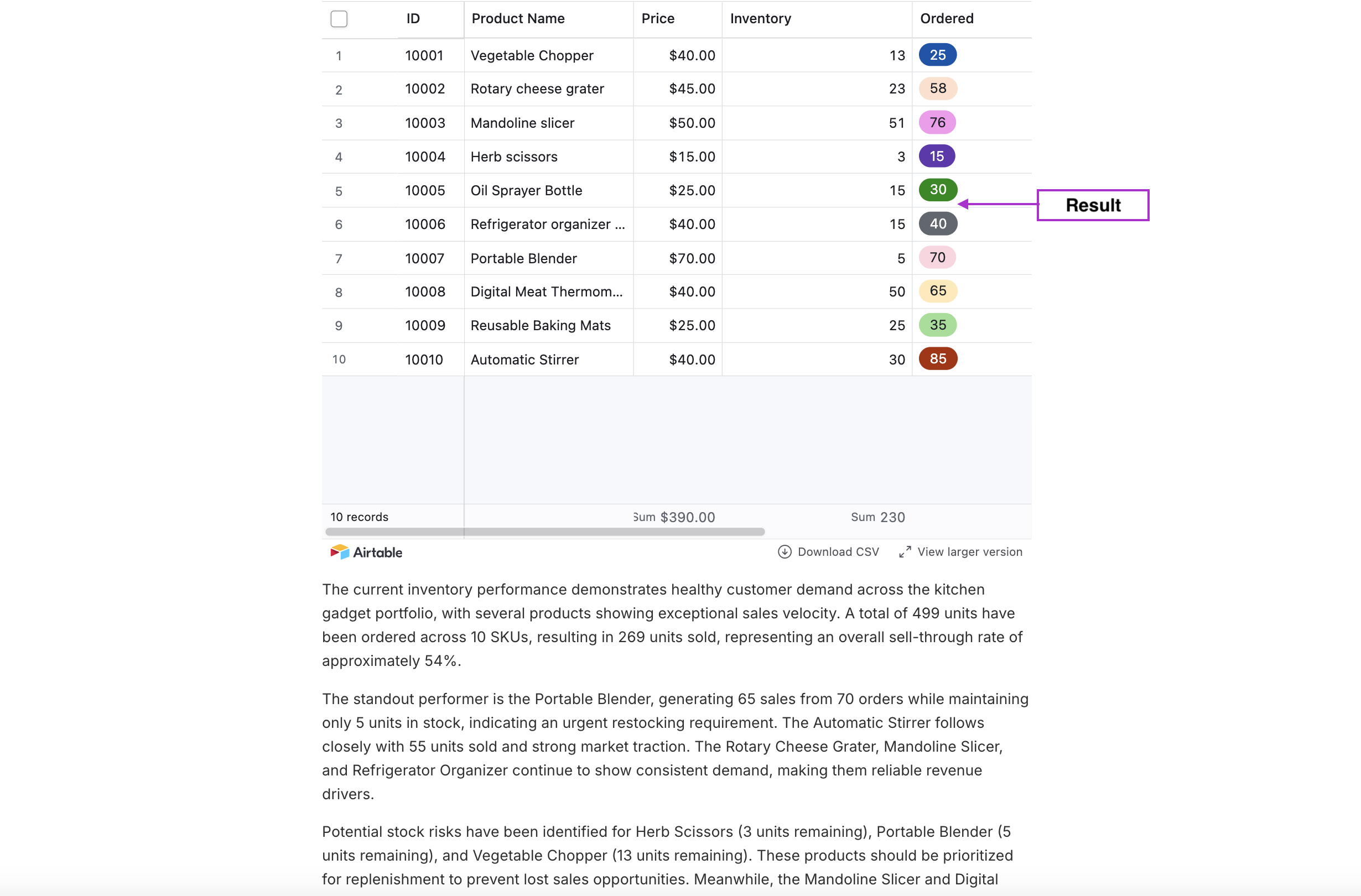
That’s it! Once you save, EmbedAny will automatically convert your italicised Airtable link into a fully interactive embed. Your customers will be able to view and interact with your Airtable content directly on your Shopify store.
Use Cases for Airtable Embeds
- Product Information: Display detailed specifications in a neatly organised table
- Availability Calendars: Show when services or appointments are available
- Custom Order Forms: Collect specific information for personalised products
- FAQ Sections: Create searchable, filterable FAQ databases
- Size Charts: Display comprehensive size information for clothing or other products
Tips for Better Airtable Embeds
- Make sure your Airtable share permissions are set correctly for public viewing
- Consider the width of your embed based on where it will appear on your store
- Use Airtable’s customisation options to match your embed’s appearance to your store’s branding
- Test your embed on mobile devices to ensure it’s responsive
With EmbedAny, you can place your Airtable content anywhere on your Shopify store without any coding knowledge, making your store more informative and interactive for your customers.