How to Embed Amazon Music on Your Shopify Store
Music can do a lot for a store page. A candle shop can set a calm mood, a record label can let fans hear the new release, and a fitness brand can share its training playlist. With EmbedAny you can put an Amazon Music player on any Shopify page by pasting a link and making it italic. No embed code, no theme edits.
Why add Amazon Music to your store
- Let visitors preview tracks without leaving your page
- Set a mood that matches what you sell
- Showcase your own releases if you are an artist or label
- Give playlists a home on a dedicated page
How to embed an album or playlist
Step 1: Install EmbedAny
- Go to EmbedAny on the Shopify App Store
- Click “Add app” and follow the prompts
- The app starts working as soon as it is installed
Step 2: Copy the Amazon Music link
Open the album or playlist on music.amazon.com and copy the URL from the address bar. An album link looks like this:
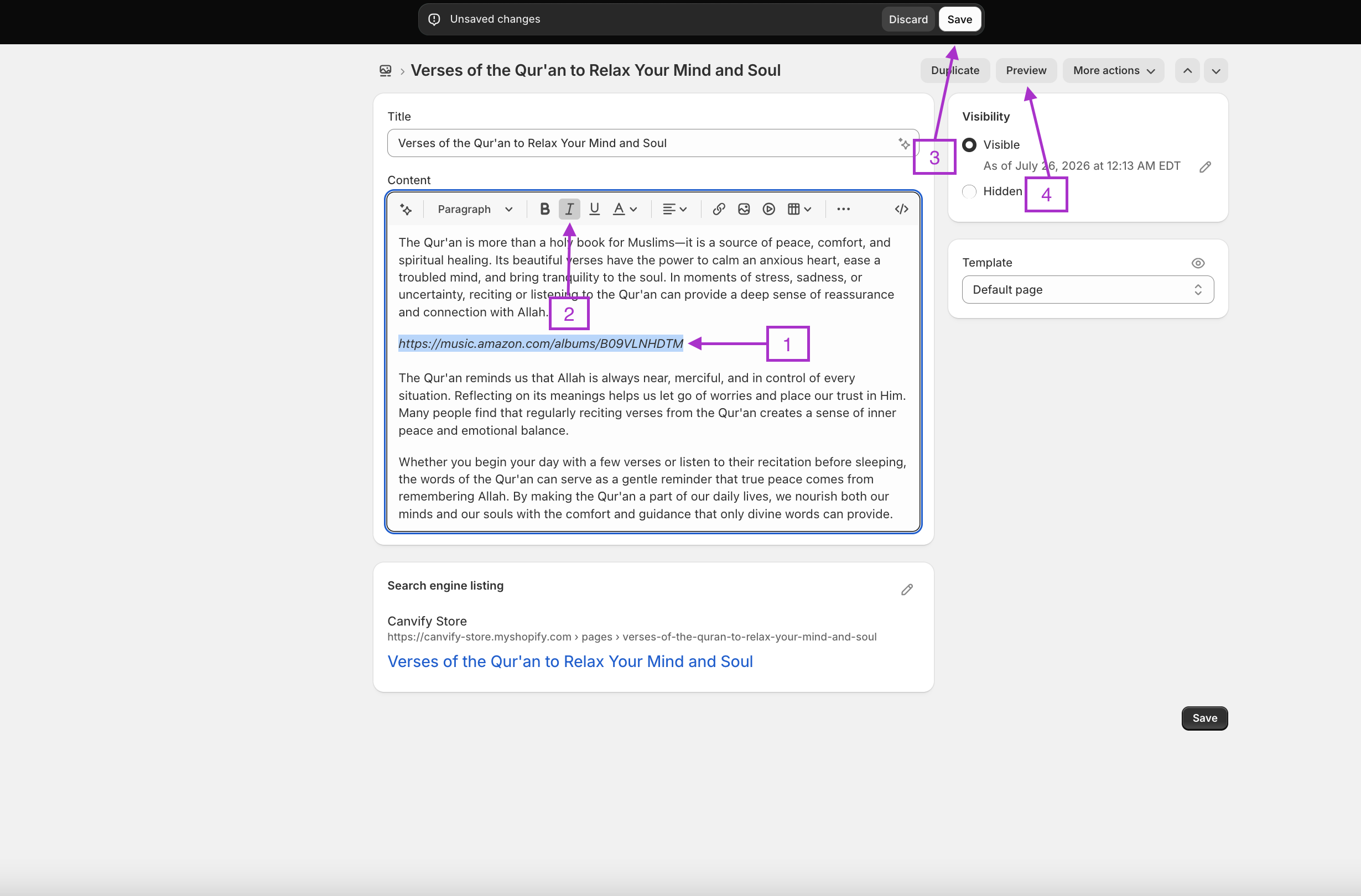
https://music.amazon.com/albums/B09VLNHDTM
Step 3: Paste the link and make it italic
- In your Shopify admin, open the product, page or blog post where you want the player
- Paste the link where the music should sit
- Select the link and press Ctrl+I (Cmd+I on Mac) to make it italic
- Save
When someone visits the page, the italic link turns into an Amazon Music player. They can play previews of every track right there, and a Listen on Amazon Music button takes them to the full songs if they want more.
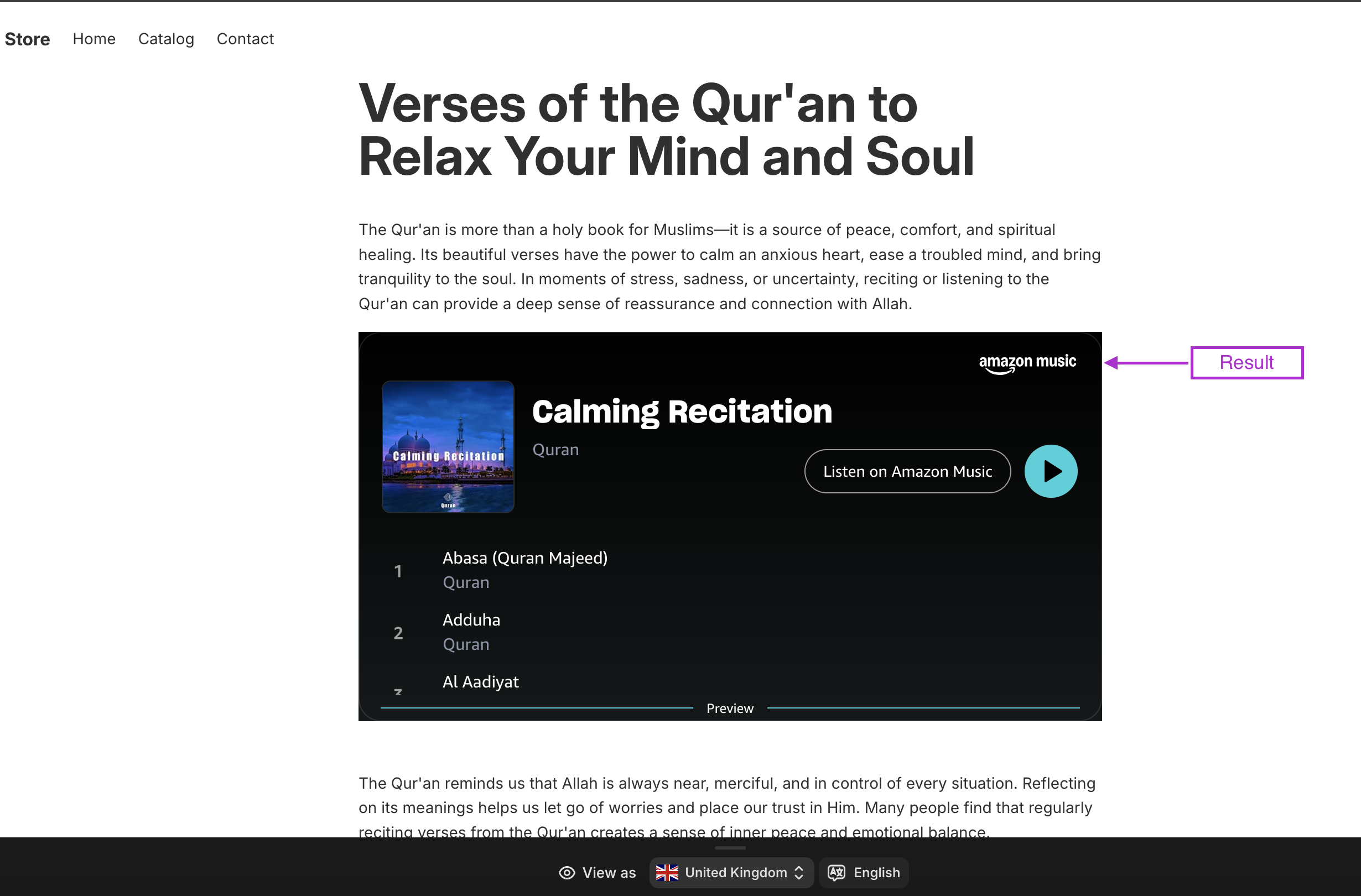
Where Amazon Music embeds work well
- Product pages: a soundtrack that suits the product
- A dedicated page: a full playlist with a title like “Our Studio Playlist”
- Blog posts: the album or artist the article talks about
- About pages: the music that shaped your brand
That is all there is to it. The same italic trick works with more than 800 other platforms, from TikTok to Spotify, so you can mix Amazon Music with whatever else your store needs.