How to Embed TikTok Videos on Shopify Stores - Complete Guide

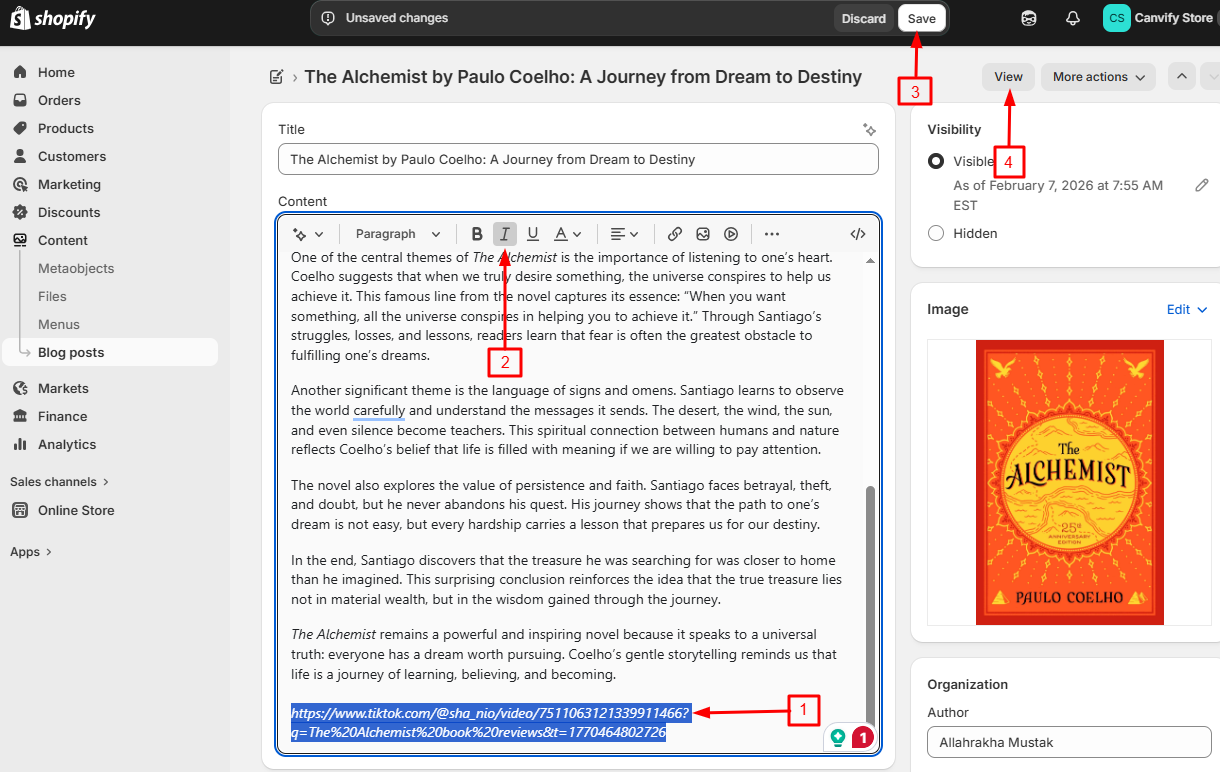
Adding a TikTok video to a Shopify store used to mean copying embed code and editing theme files. With EmbedAny you paste the video link and make it italic. The app turns it into a proper TikTok player on your storefront.
Why add TikTok videos to your store
- Show your products in use, not just in studio photos
- Let real reviews do the selling for you
- Give visitors a reason to stay on the page a bit longer
How to embed a TikTok video
Step 1: Install EmbedAny
- Go to EmbedAny on the Shopify App Store
- Click “Add app” and follow the prompts
- The app starts working as soon as it is installed
Step 2: Copy the video link
Open the video on TikTok, tap Share, then Copy link.
Step 3: Paste the link and make it italic
- In your Shopify admin, open the product, page or blog post where you want the video
- Paste the link where the video should appear
- Select the link and press Ctrl+I (Cmd+I on Mac) to make it italic
- Save
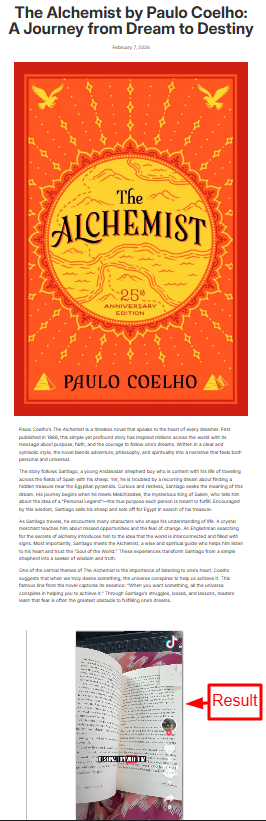
When someone visits the page, the italic link becomes a TikTok player. The video plays right there on the page and the creator gets credited underneath.
Embedding your TikTok feed
If your shop has its own TikTok account, you can put your whole feed on the store and invite customers to follow you. Paste your profile link, for example https://www.tiktok.com/@yourhandle, and make it italic the same way. EmbedAny shows your profile, follower count and latest videos.
A feed takes up more room than a single video, so give it its own page. Go to Online Store > Pages, create a page, paste your profile link, make it italic and save.

Where TikTok content works well
- Product pages: a short review or demo video under the description
- A dedicated page: your own feed with a title like “Follow Us on TikTok”
- Blog posts: a video that backs up what the article says
- Homepage: the clip you are most proud of
That covers TikTok. The same italic trick works with more than 800 other platforms, from YouTube to Spotify.