How to Embed Pinterest Pins on Your Shopify Store Using EmbedAny
Pinterest is a visual discovery platform that millions use to find inspiration for everything from home décor to fashion. Adding Pinterest pins to your Shopify store can showcase your products in action, display customer style ideas, and create a more engaging shopping experience.
With EmbedAny, you can seamlessly integrate Pinterest pins into your Shopify store without any technical knowledge. Here’s how to do it in a few simple steps:
Step 1: Install EmbedAny on Your Shopify Store
Before you can start embedding Pinterest pins, you’ll need to install the EmbedAny app:
- Visit EmbedAny in the Shopify App Store
- Click “Add app” to install it on your store
- Follow the setup instructions to activate the app
Step 2: Find the Pinterest Pin You Want to Embed
- Go to Pinterest and locate the pin you wish to display on your store
- Click on the pin to open it in full view
- Copy the URL from your browser’s address bar
For example, a Pinterest pin URL will look something like: https://www.pinterest.co.uk/pin/123456789012345678/
Step 3: Embed the Pinterest Pin on Your Shopify Store
- Go to your Shopify admin and navigate to the page or product where you want to add the pin
- In the description editor, paste the Pinterest pin URL
- Important: Make the link italic by selecting it and clicking the italic button (or use keyboard shortcut Ctrl+I / Cmd+I)
- Save your changes
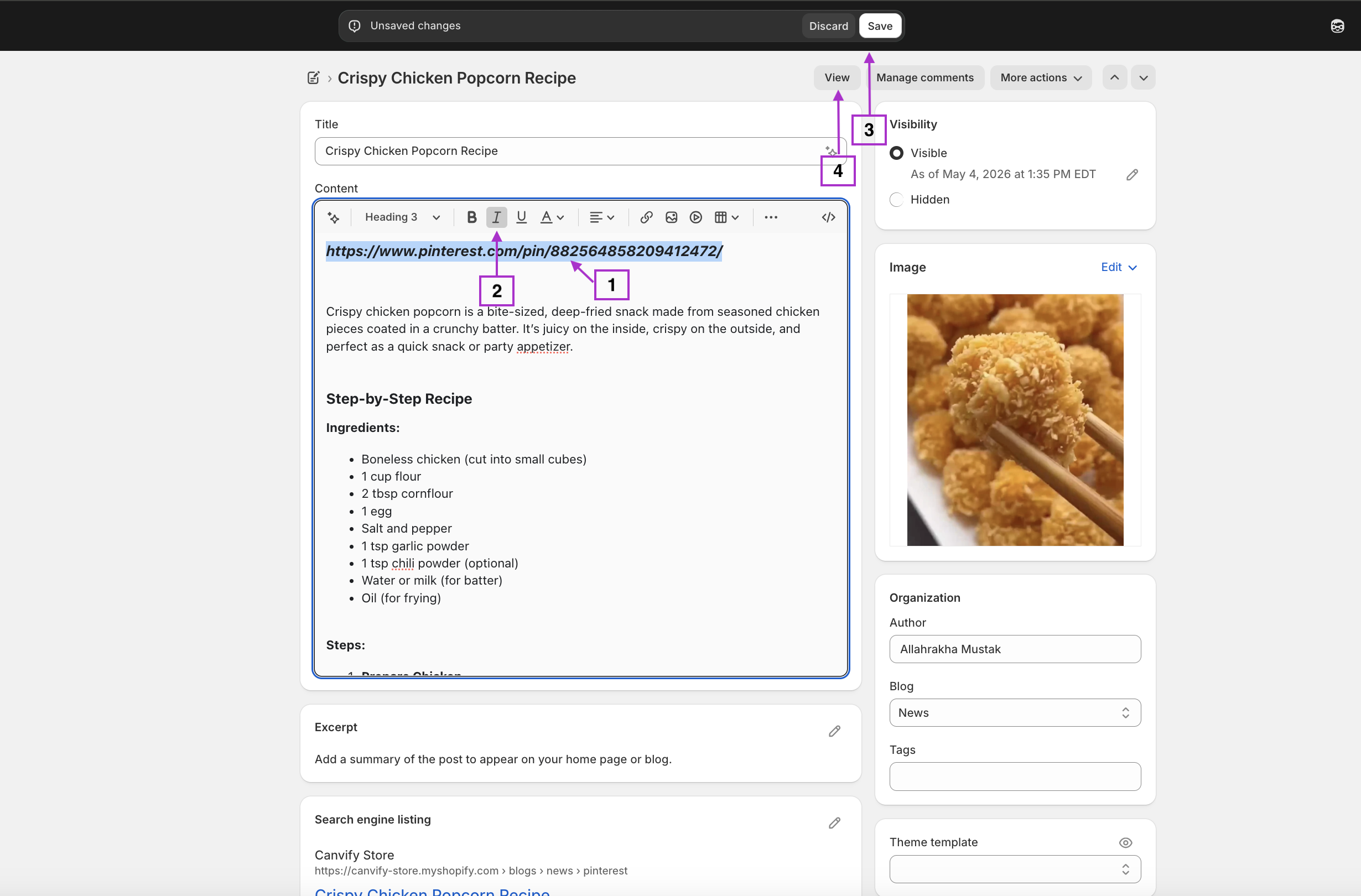
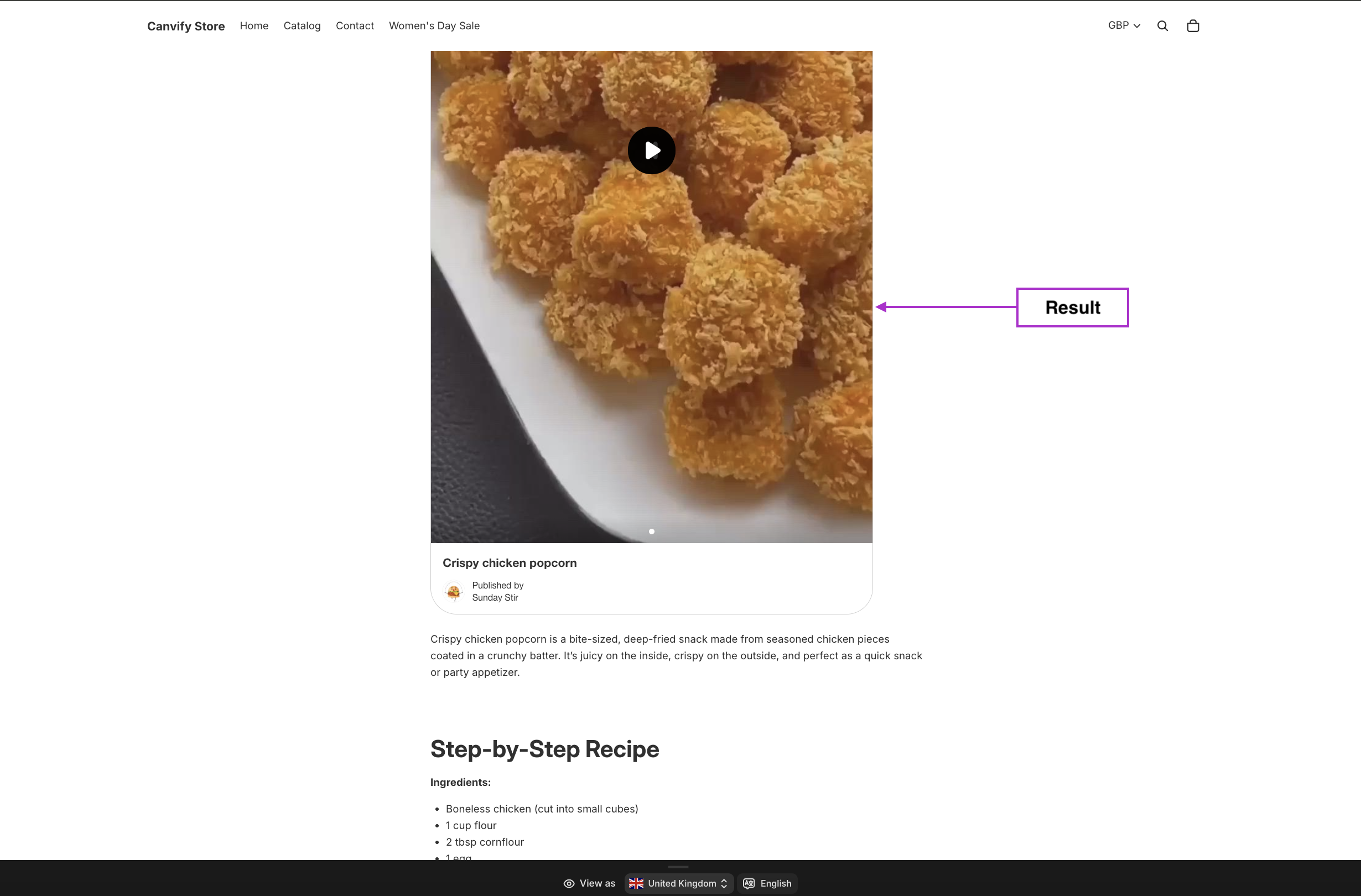
That’s it! EmbedAny will automatically convert the italicised Pinterest link into an interactive Pinterest pin display.
Where to Use Pinterest Pins on Your Shopify Store
Pinterest pins can enhance many areas of your store:
- Product descriptions: Show your product styled in different ways
- Blog posts: Add relevant visual inspiration
- Collection pages: Create mood boards relevant to product categories
- About page: Share your brand’s aesthetic and inspiration sources
Why Embed Pinterest on Your Shopify Store?
- Visual inspiration: Help customers visualise your products in use
- Social proof: Display how others are using or styling your products
- Design ideas: Provide inspiration for how to use your products
- Engagement: Keep visitors on your site longer with interactive content
EmbedAny works with over 800 platforms beyond Pinterest, allowing you to embed virtually any content with the same simple process.
Remember that each embedded Pinterest pin will maintain its interactive elements, allowing visitors to save pins to their own boards directly from your store.
By thoughtfully integrating Pinterest content, you can create a more engaging shopping experience that inspires customers and showcases your products in real-world contexts.