How to Embed Monday.com Form on Shopify: A Quick Guide using EmbedAny
Are you looking to integrate your Monday.com form directly into your Shopify store? Whether you want to share project timelines with customers or display team workflows, embedding a form of Monday.com content can make your store more interactive and informative.
In this guide, we’ll show you how to embed Monday.com form on your Shopify store using EmbedAny - a simple no-code solution.
What You’ll Need
- A Shopify store
- Access to your Shopify admin
- The Monday.com content you want to embed
- EmbedAny app installed on your Shopify store
Step 1: Install EmbedAny on Your Shopify Store
- Visit the EmbedAny app page in the Shopify App Store
- Click “Add app” and follow the installation instructions
- Activate the app on your store when prompted
Step 2: Find Your Monday.com Form
- Go to https://monday.com/features/forms
- Select a type of form and click Get Started
- Sign up or log in to your Monday.com account
- Provide the answers to some questions
- Navigate to the board, dashboard, or view you want to embed
- Click the link icon (usually in the top-right corner)
- Set the appropriate sharing permissions (make sure it’s set to “Public” or accessible to anyone with the link)
- Copy the link provided by Monday.com
Step 3: Embed Your Monday.com Form in Shopify
- Go to your Shopify admin panel
- Navigate to the page, product, or blog post where you want to embed the Monday.com content
- In the rich text editor, paste the Monday.com link
- Highlight the pasted link and click the “Italic” button (or use keyboard shortcut Ctrl+I / Cmd+I)
- Save your changes
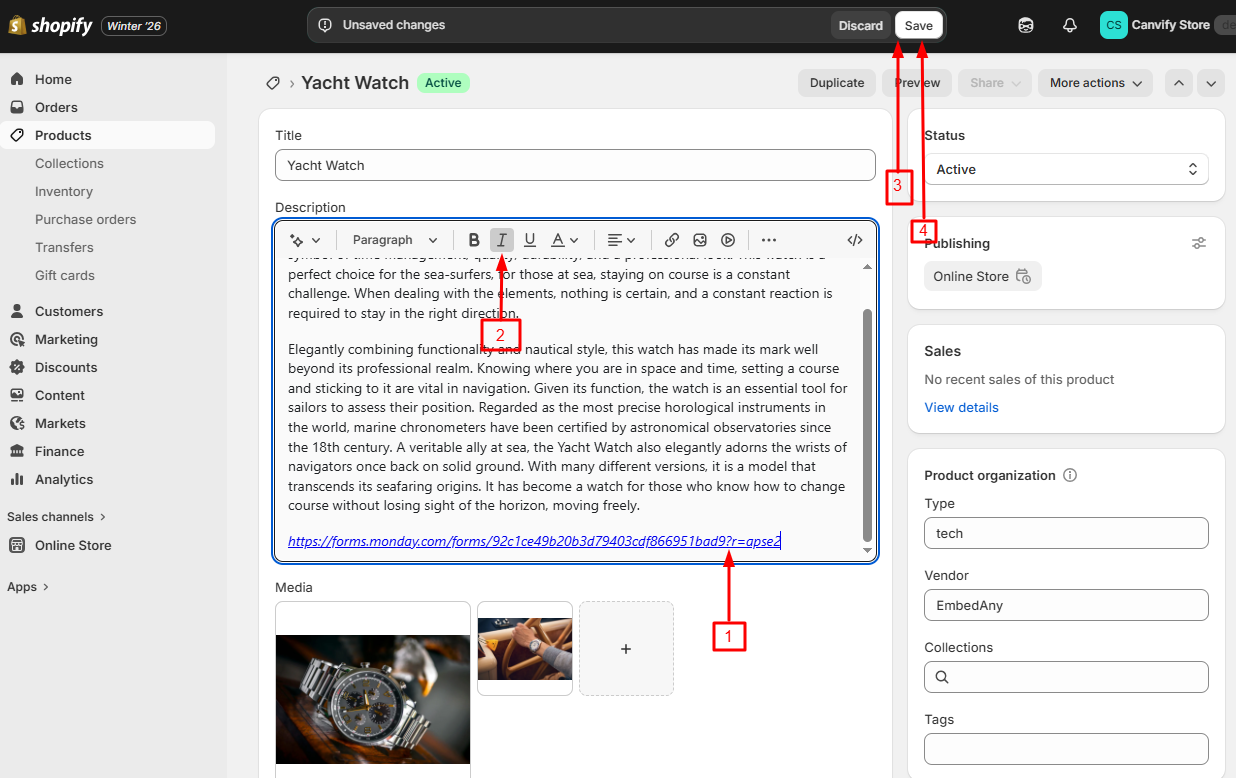
That’s it! Once you save, EmbedAny will automatically convert your italicised Monday.com form into an interactive embed.
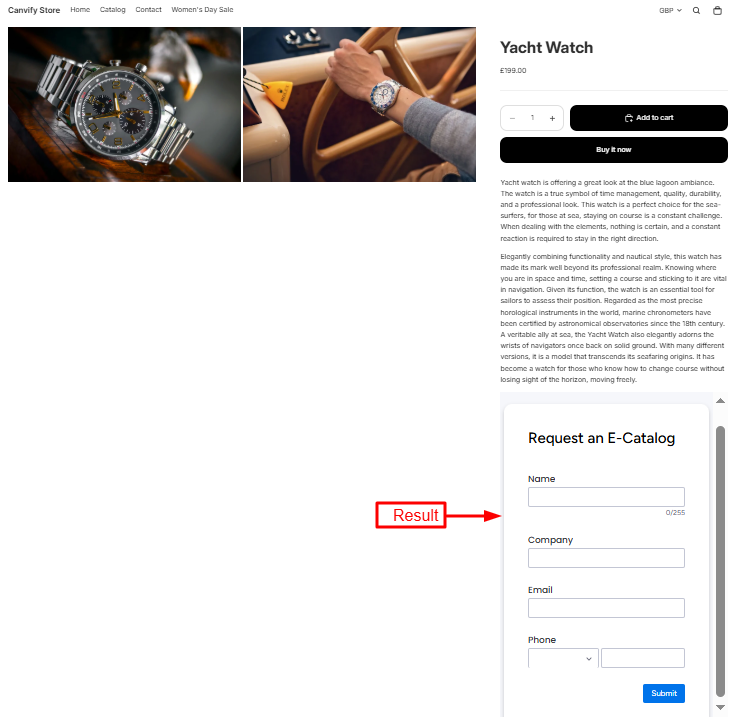
Where to Use Monday.com Embeds on Your Shopify Store
You can embed your Monday.com form in several sections of your Shopify store, depending on your purpose. The most common options are:
- Contact Page: Ideal if you’re using the form to collect customer inquiries or requests.
- Custom Page (e.g., “Work With Us” or “Feedback”): Great for gathering specific information from visitors.
- Product Page: Useful if the form relates to product customization or order details.
- Footer or Popup: Helpful for quick surveys or lead generation across your store.
With EmbedAny, integrating these powerful collaborative tools into your store is just a matter of pasting a link and making it italic - no coding or technical skills required!