
How-to guides
Getting Started: How to Make Your First Embed
Thanks for installing EmbedAny! 🎉
Let’s make your store pop by embedding exciting content.
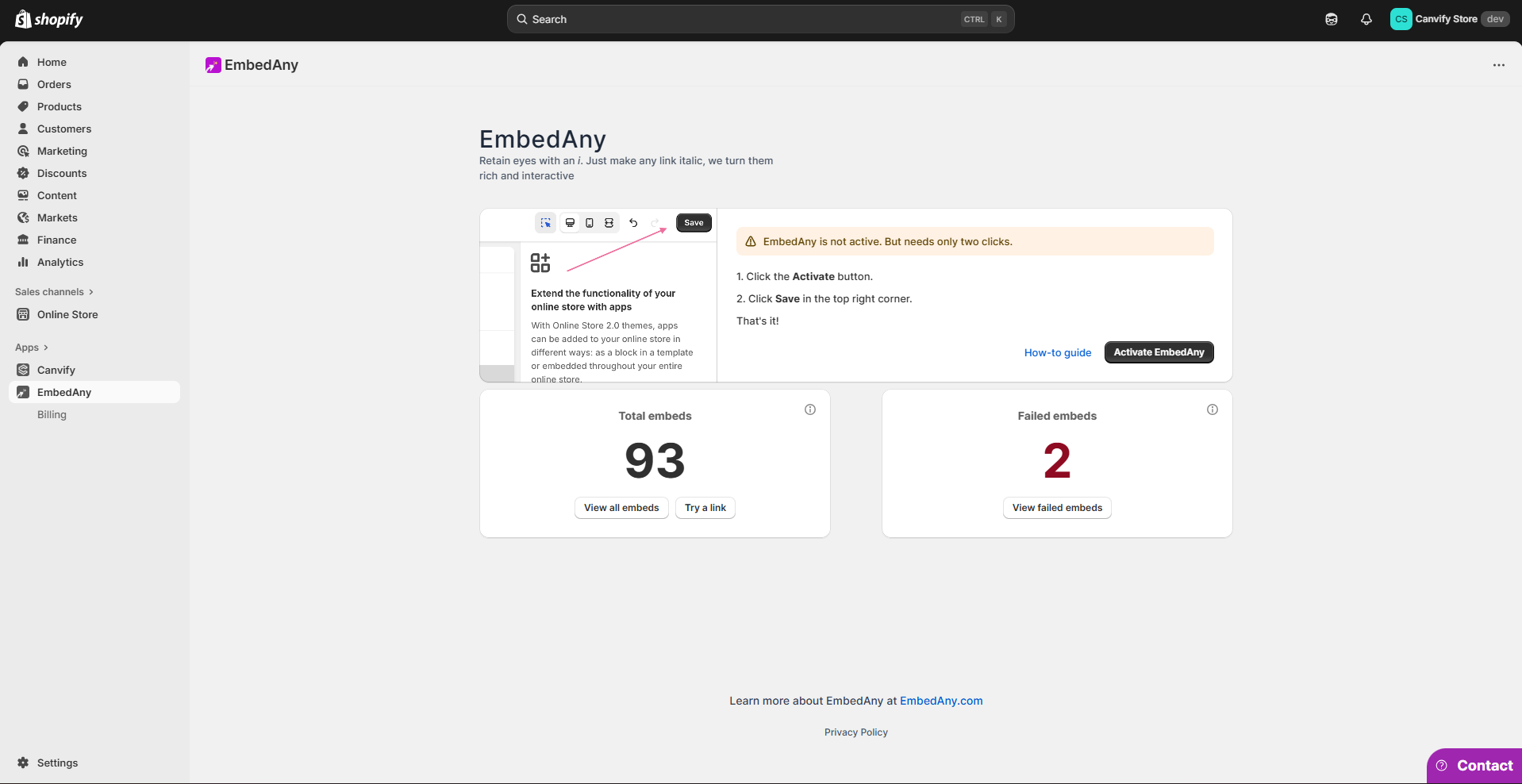
EmbedAny is the simplest tool to embed content in Shopify.
Step 1: Copy the link you want to embed
Use the normal share URL (YouTube, TikTok, Google Drive, Slides, PDFs, Forms, etc.). No embed code needed. Just copy the link and come back to your theme.
Step 2: Make your link italic
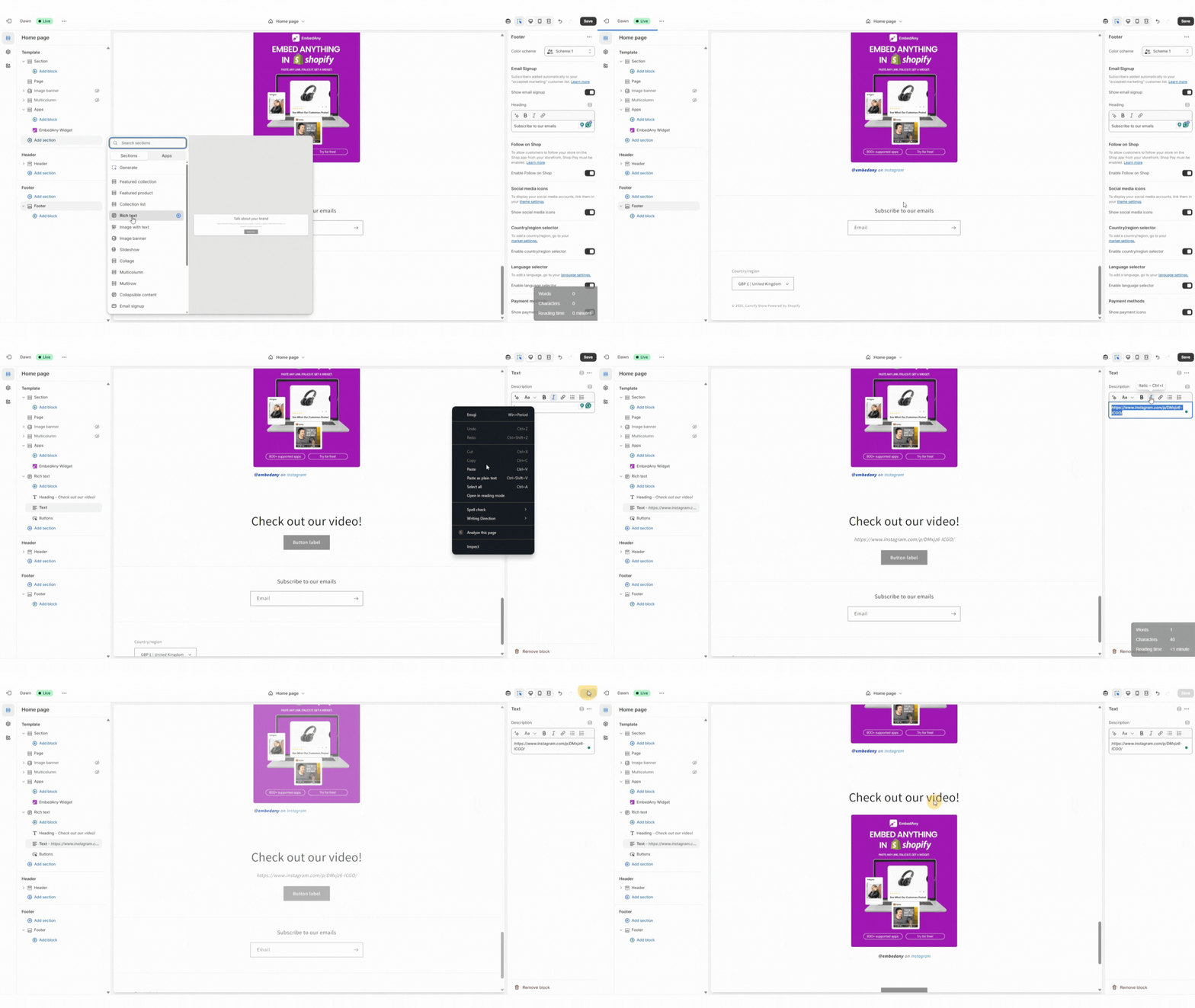
- Open any text field (product description, page, blog, rich text, or even a custom-coded section that has text fields).
- Paste your link, select it, and make it italic (Ctrl+I on Windows / Cmd+I on Mac).
- Save. We auto-convert the italic link into a live widget on your site.
Alternative Method: Create an EmbedAny Section
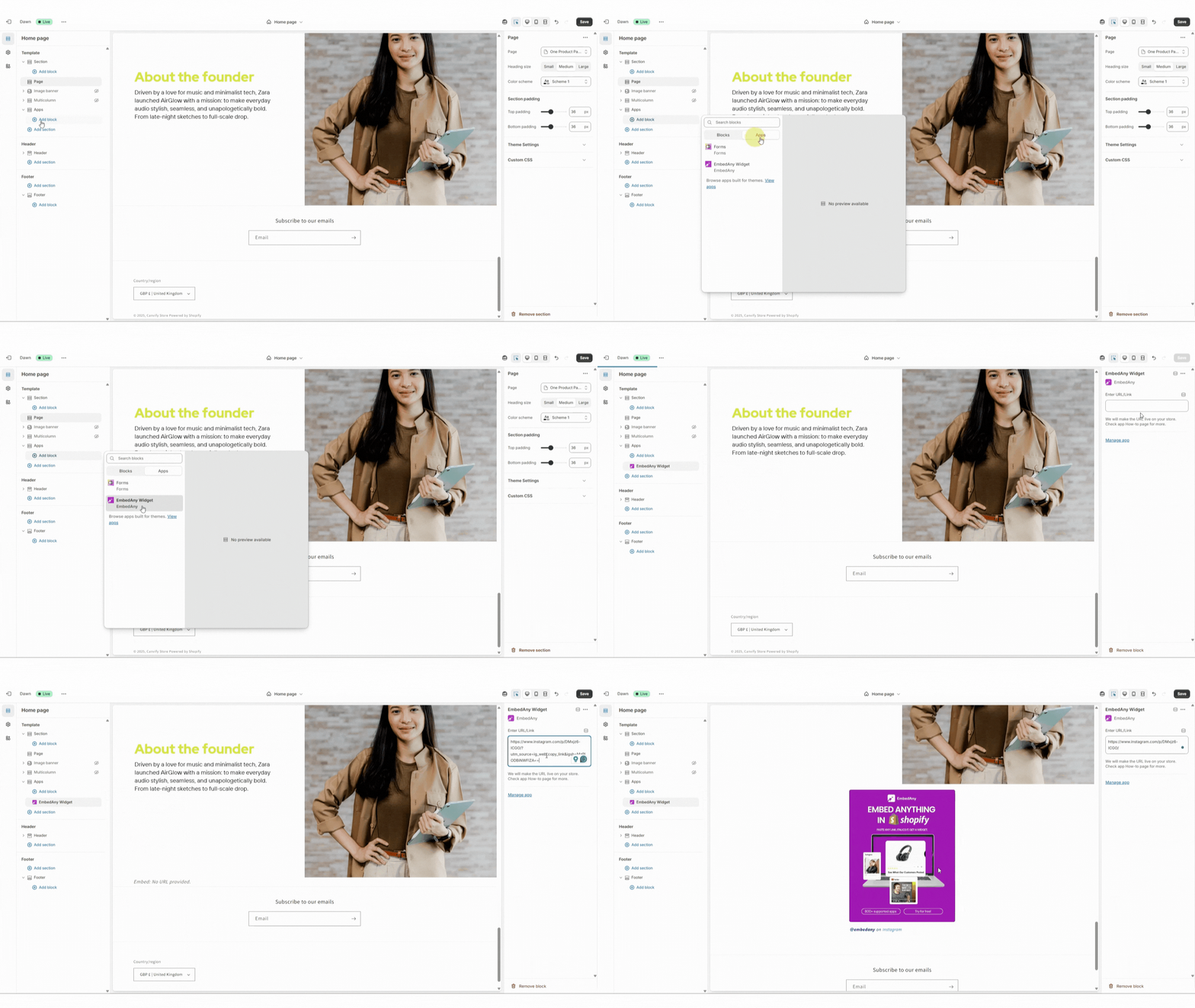
Here is another way you can make embeds in your store if you are not using a text field. In this method, you don’t need to make your link italic. Just paste it in the EmbedAny app field on the right.
Add Single Embed Block
- In your theme editor, open the page/section where you want the embed.
- Add block → Apps → EmbedAny Widget.
- Paste your link and Save.
Add Mult-column Embeds Horizontally
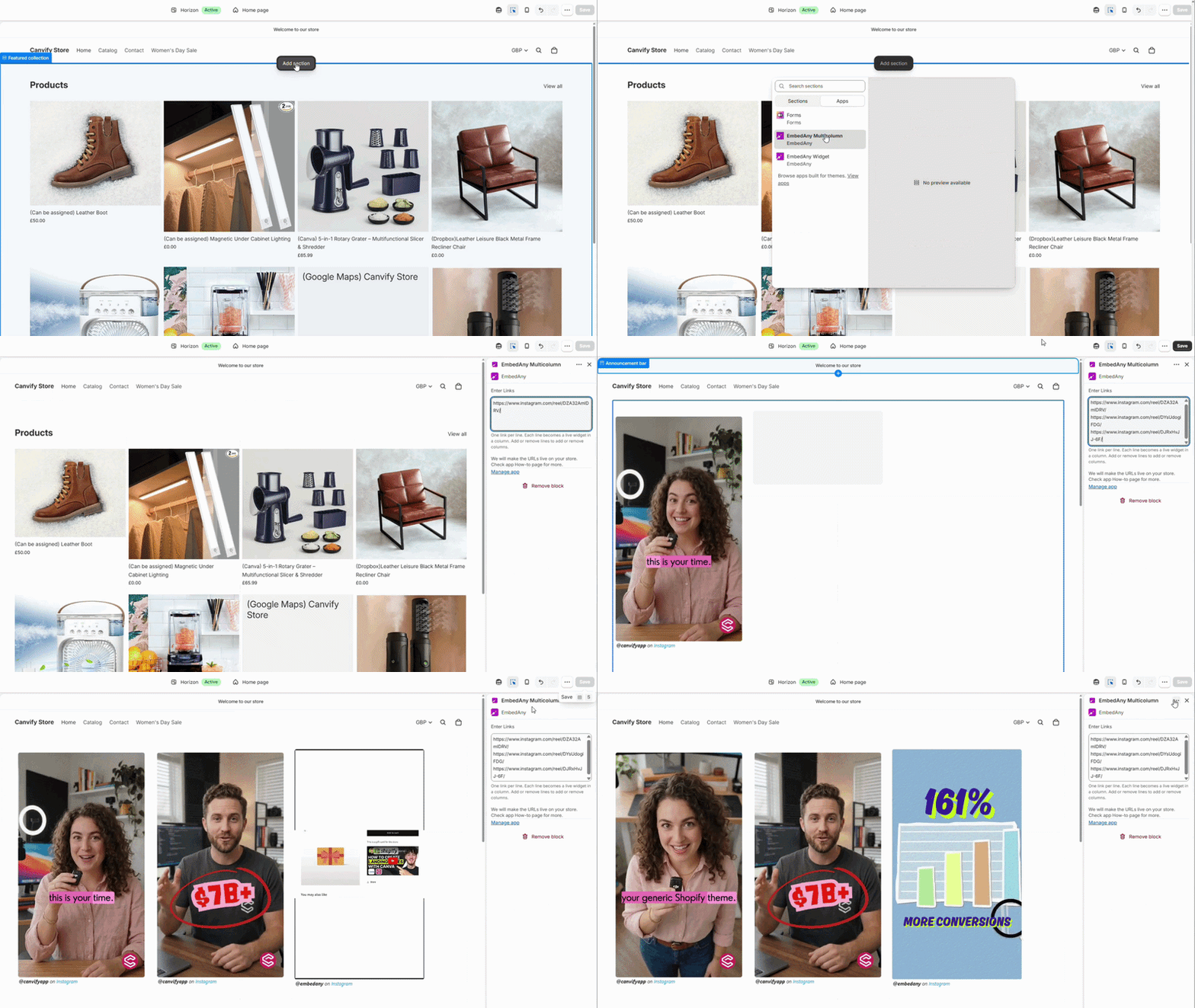
- In your theme editor, open the page/section where you want the embed.
- Add block → Apps → EmbedAny Multicolumn.
- Paste multiple links and Save.
That’s it!
Still having issues? Just drop an email to our customer support.